
BuzzKill Notification Manager
Sam RustonTools
4.7633.00 Reviews
- Version
- Varies With Device
- Installs
- 100.00K
- Age Rating
- Everyone
Screenshots
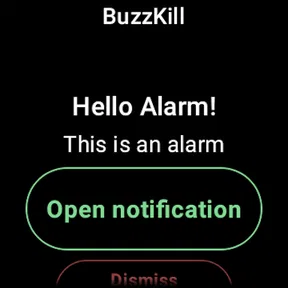
Our Review of BuzzKill Notification Manager
 Analysis by Appyee
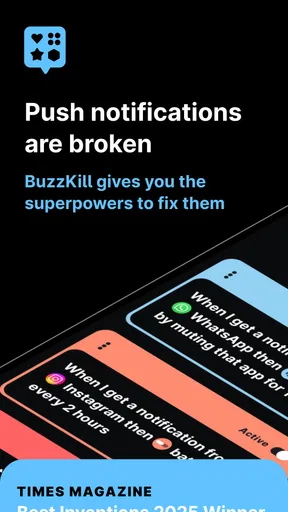
Ever been overwhelmed by the flood of notifications on your phone? Yeah, me too. It’s like every app you’ve ever downloaded suddenly decides to become your best friend. Enter BuzzKill Notification Manager, the app that promises to bring some much-needed sanity to your notification chaos.
Understanding the Magic of BuzzKill
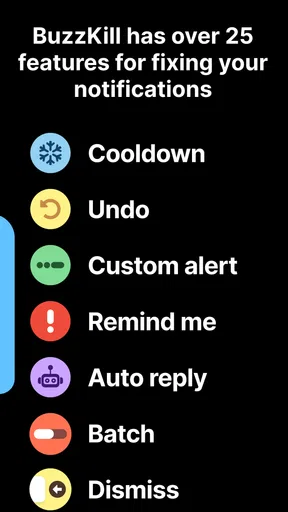
Okay, so here’s the deal. BuzzKill Notification Manager isn’t just another app that silences everything. It’s smarter than that. It lets you take control of your notifications in ways you probably didn’t even know were possible. The app allows you to create rules that act on your notifications in real-time. Let’s dive into how it works.
Start with a Simple Notification Routine
The most useful way to begin is to watch what actually interrupts you before making rules for everything. I’d start with one recurring nuisance, such as a noisy group chat or promotional alerts, and make a single rule for it. Then live with that change for a day. This keeps the first setup easy to understand and makes it clearer whether the rule is solving the problem or hiding something you still need.
A realistic workday example is a group chat that gets busy while you’re handling a task. You can make its alerts less intrusive during a chosen period without treating every message on your phone as equally unimportant. Later, you can review whether the rule was too broad and adjust the condition. That small test-and-refine habit is safer than building a complicated collection of rules before you know how they behave in your routine.
Create Custom Rules
Imagine being able to silence notifications from your chatty group chat during work hours but still getting alerts from your boss. With BuzzKill, you can set up specific rules to do just that. The app lets you create rules based on the content of the notification, the sender, and even the time of day. This means you can customize your notification experience to fit your lifestyle perfectly.
Setting up a rule is pretty straightforward. You choose a condition, like a specific keyword or contact, and then decide what action you want to take. For example, you could set a rule to dismiss all notifications containing the word "sale" if you’re tired of those constant shopping alerts.
The trade-off is that a rule only helps when its condition matches the notification you have in mind. A keyword can appear in a message you do care about, while a sender-based condition may be more precise for a particular conversation. I’d choose the narrowest condition that reliably catches the interruption, then check it against real notifications before relying on it for anything time-sensitive.
Never Miss an Important Alert
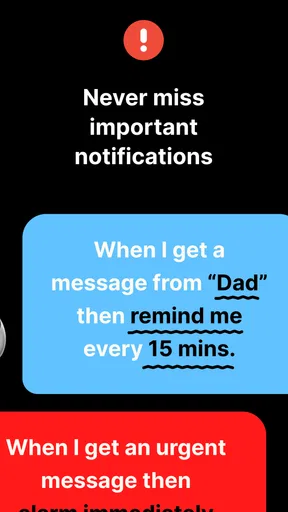
One of the coolest features of BuzzKill is its ability to remind you of notifications you might have missed. Let’s be real, we’ve all accidentally swiped away an important message and then spent ages trying to find it again. With BuzzKill, if a notification gets dismissed, the app can remind you by buzzing again after a set period. This way, you’ll never miss a crucial alert from your calendar or an important email.
I’d use that reminder behavior selectively rather than applying it to every alert. Repeating a reminder for something genuinely important can rescue it from an accidental swipe, but repeating reminders for low-priority messages can recreate the same notification clutter you wanted to reduce. A good routine is to reserve it for alerts that deserve a second chance, then keep ordinary social or shopping notifications out of that workflow.
Stay Focused with Notification Filters
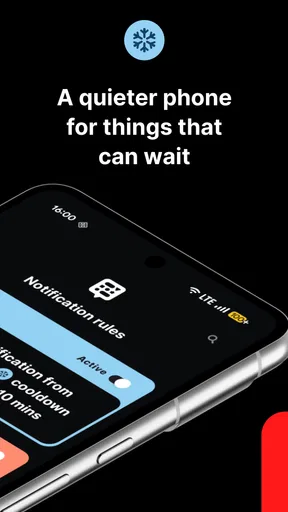
BuzzKill helps you stay focused by filtering out notifications that don’t matter at the moment. Ever tried to work and kept getting interrupted by random game alerts? You can set a rule to silence all notifications from games during work hours. This filter feature is a game-changer for productivity. It’s like having a personal assistant who knows exactly when you need peace and quiet.
The app also allows you to snooze notifications for a specific time. Need to focus on a project for an hour? Snooze everything except for the really important stuff. It’s all about giving you the power to control your digital environment.
For a repeatable setup, I’d separate “not now” from “never useful.” Snoozing suits a temporary stretch of concentration, while a rule for recurring low-value alerts suits a problem that persists throughout the week. Keeping those intentions distinct makes it easier to remember why a notification is being held back and to change the setup when your schedule changes.
Settings That Deserve a Quick Check
Before trusting a rule with something important, read its condition and action together. Ask yourself what will happen when a message contains an unexpected word, comes from a different contact, or arrives outside the time window you had in mind. This simple check helps catch overly broad rules before they become frustrating. If a rule is about quieting a specific source, avoid adding extra conditions just because they are available; each condition should have a clear purpose.
It’s also worth checking your rules when your routine changes. A work-hours filter that made sense during a busy week may be inconvenient on a day off, and a reminder that was useful for a short project may become irritating if left in place. I’d treat the rule list as a small set of personal habits, not a one-time setup you never revisit.
Easy-to-Use Interface
I know what you’re thinking—this all sounds great, but how complicated is it to use? Thankfully, BuzzKill has an intuitive interface that makes it easy to set up and manage your rules. The app is designed to be user-friendly, even if you’re not super tech-savvy. You can view, edit, and delete rules with just a few taps, making it a breeze to adjust your settings as your needs change.
Plus, the app doesn’t bog you down with unnecessary features. It’s streamlined to focus on what it does best: managing your notifications. This simplicity is refreshing in a world where apps often try to do too much.
That direct approach is helpful if you like adjusting one behavior at a time, but it does ask you to think through your own priorities. Someone hoping for a ready-made system that automatically knows which messages matter may find rule-based setup less convenient. The payoff is control: you can make a deliberate choice instead of accepting one broad quiet mode for every app and conversation.
How It Fits Beside Built-In Controls
Your phone’s regular notification settings are still the right place for basic choices, such as turning off an app you never want to hear from. A general focus or quiet mode is also a better fit when you want a broad pause and don’t need detailed exceptions. BuzzKill makes more sense when you want to shape individual notifications using conditions such as their contents, sender, or timing, or when you want a dismissed alert to return as a reminder.
That extra control has a cost in attention: you have to create and maintain rules. If you only receive a few alerts and rarely feel interrupted, the built-in controls may be simpler and perfectly adequate. If your phone is busy but you still need certain messages to get through, a carefully maintained rule set can offer a useful middle ground between muting everything and accepting every interruption.
Who Will Get the Most from It
I think it suits people whose phones are active enough that broad silencing causes new problems. If you need to screen recurring chatter but remain reachable for selected contacts, or you often swipe away something and later wish you had seen it, the combination of conditions and follow-up reminders is relevant. It can also help someone who prefers to tune their phone gradually rather than changing every app’s notification settings whenever their day looks different.
I’d skip it if you want a completely hands-off solution, dislike managing rules, or mostly need a simple on/off quiet period. It’s also not a substitute for checking messages: a reminder can bring an alert back to your attention, but it can’t decide whether the message deserves a response. Being realistic about that boundary helps keep the app useful rather than turning it into another system to supervise.
Why BuzzKill Stands Out
So, why choose BuzzKill over other notification managers? For me, it’s the sheer customization it offers. It doesn’t just mute everything in sight. Instead, it allows you to tailor your notification experience around what’s important to you. Whether you want to silence annoying alerts or ensure you never miss a crucial message, BuzzKill gives you the tools to do so.
Another standout feature is its lightweight design. It won’t hog your phone’s resources, meaning you won’t have to worry about it slowing down your device. This is a huge plus for anyone who’s ever had their phone lag due to a bloated app.
BuzzKill is a paid tools app from developer Sam Ruston, priced at $3.99, and its age rating is Everyone. It was released on May 23, 2020. Its average rating is 4.7 from around 2,400 ratings, with over 50,000 installs. Those figures suggest a well-regarded niche utility, but I’d make the decision based on whether you’ll actually use notification rules: if your current setup already works, paying for more control may not change much.
Where the Control Has Limits
Rule-based management is only as dependable as the conditions you choose and the way you maintain them. Broad filters can catch alerts you meant to keep, while a set of exceptions can become hard to reason about if you keep adding rules without reviewing the whole picture. I’d avoid trying to manage every app at once. Start with one clear pain point, make sure the result is predictable, and expand only when another recurring interruption is worth addressing.
There’s also a human limit: more control does not automatically mean fewer interruptions if you create reminders for too many things or keep changing the rules. BuzzKill is most useful when the rules support a simple routine—quiet the low-value noise, preserve selected alerts, and revisit the setup when your day changes. If you want your phone to decide all of that for you, a basic quiet mode may be less effort.
A Practical Verdict for Everyday Use
If you’re looking for a way to take back control of your notifications, BuzzKill Notification Manager is definitely worth checking out. It’s not just about silencing distractions; it’s about managing them intelligently. With its customizable rules and user-friendly interface, it’s an app that fits seamlessly into your everyday life.
My recommendation is to begin with one rule you can easily judge, such as limiting a distracting source during a predictable work period. Keep reminders for messages that truly merit a second chance, and revisit the setup when your schedule shifts. That approach shows the app’s strength without burying you in settings. If you prefer a broad, temporary pause, your phone’s built-in controls may be enough; if you want selective handling, this tool gives you room to make it personal.
So go ahead, give it a try, and experience the peace of mind that comes with knowing you’re in control. Who knew managing notifications could be this liberating?
Verdict
Strengths of BuzzKill Notification Manager
- Highly customizable notification filters.
- Easy to set up and use interface.
- Supports automation with Tasker integration.
- Lightweight and doesn’t drain battery.
- Frequent updates and active support.
Limitations of BuzzKill Notification Manager
- Limited free version features.
- No iOS version available.
- Requires Android 5.0 or higher.
- May conflict with some device settings.
- No support for group notifications.
Similar Picks in This Category
View All
Google LLC4.0

Gboard - the Google Keyboard
Google LLC4.5

Google Play services
Google LLC4.3

Google Play Store
Google LLC4.9

Files by Google
Google LLC4.5

SHAREit: Transfer, Share Files
Smart Media4U Technology Pte.Ltd.4.3
Frequently Asked Questions
What is BuzzKill Notification Manager and how does it work?
BuzzKill Notification Manager is an app designed to help you manage and control your notifications effectively. It allows you to set custom rules for notifications, filter out unwanted alerts, and automate responses. By organizing notifications based on your preferences, it aims to reduce distractions and enhance productivity.
Is BuzzKill Notification Manager compatible with all Android devices?
BuzzKill is specifically designed for Android devices. Before downloading, ensure your device meets the minimum requirements, typically Android version 5.0 (Lollipop) or later. While it should work with most Android devices, checking for compatibility is always a good practice to ensure optimal performance.
Does BuzzKill Notification Manager affect battery life?
BuzzKill is designed to be efficient, but as with any app that runs in the background, it can have some impact on battery life. The app uses intelligent algorithms to minimize battery usage while managing notifications, but actual battery consumption may vary depending on your device and usage patterns.
Can I customize the notification filters in BuzzKill?
Yes, one of the key features of BuzzKill is its customizable notification filters. Users can create personalized rules to block specific notifications, automate alerts, or even delay them until a more convenient time. This level of customization allows you to tailor the app to fit your lifestyle and preferences.
Is my data safe with BuzzKill Notification Manager?
BuzzKill prioritizes user privacy and data security. The app does not store your notifications or personal data on external servers. All processing is done locally on your device, ensuring that your information remains private and secure. Always review the app's privacy policy for more detailed information.
